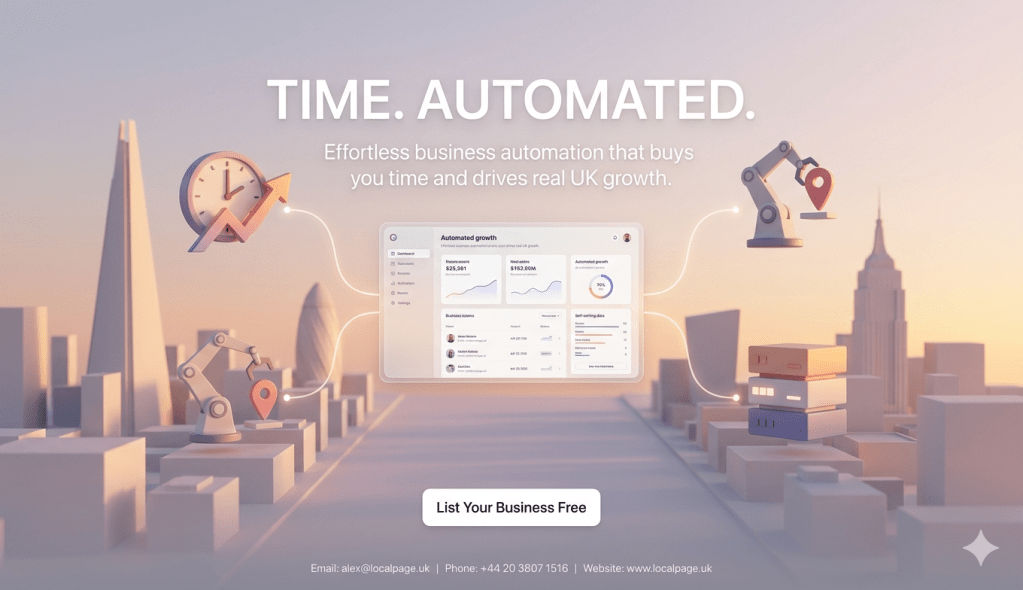
Automation Tools for Busy UK Business Owners
If you are running a UK business and drowning in admin tasks, you are not on your own. I have spoken to dozens of business owners this year who say the same thing. They spend more time on invoices, emails, and booking systems than they do on the actual work that earns them money. It is frustrating. It is exhausting. And the worst bit is that most of those repetitive tasks do not need a human doing them at all. That is where automation tools come in. They are not about replacing people. They are about taking the boring bits off your plate so you can focus on the things that actually grow your business. Getting yourself listed on a UK Online Business Directory is one step. Automating your backend processes is the next. Here is what you need to know about automation tools in 2026.
Why UK Business Owners Are Turning to Automation in 2026
Something has shifted in the past twelve months. It is not just the tech-savvy startups using automation anymore. I am seeing plumbers in Birmingham, bakeries in Bristol, and accountants in Edinburgh all picking up tools that would have seemed too complicated two years ago. The reason is simple. Life has got busier, staff are harder to find, and the cost of doing everything manually has become impossible to ignore. Automation is no longer a luxury. For many UK small businesses, it is survival.
A real example of time saved through automation
When I sat down with Karen Marshall from Leeds Plumbing Solutions last month, she told me she used to spend four hours every Sunday on paperwork. Invoices, quotes, booking confirmations, follow-up messages. All done by hand. She started using a combination of automation tools in early 2025 and within two months her Sunday admin had dropped to about thirty minutes. She now uses those extra three and a half hours to actually rest or take on extra jobs that bring in more money.
What this means for you
If you are spending more than an hour a day on repetitive tasks that follow the same pattern each time, there is almost certainly a tool that can handle it. The biggest barrier is not the technology. It is believing that your business is too small or too specific for automation to work. It almost always works. You just need to find the right starting point and give it a proper go.
How to apply this insight
Keep a time log for one week. Write down every task you do and how long it takes. At the end of the week, highlight anything that is repetitive and follows a predictable pattern. Those highlighted tasks are your automation targets. Pick the one that eats up the most time and start there. Do not try to automate everything at once. One task at a time is the way to do it without getting overwhelmed.
The data behind the automation shift in the UK
According to the UK Small Business Federation report published in early 2026, 58% of UK small businesses now use at least one automation tool. That is up from 34% in 2023. The growth has been fastest among businesses with fewer than ten employees, which tells you something important. It is not the big companies driving this trend. It is the small operations that feel the pain of wasted time most acutely and are finally doing something about it.
Why this matters for your business
If more than half your competitors are already using automation, they are probably responding to customers faster, making fewer mistakes on paperwork, and spending more time on activities that generate revenue. Every week you wait is a week they are pulling ahead. The good news is that catching up does not take long. Most tools can be set up in an afternoon and the benefits start immediately once you switch them on.
Questions to ask yourself
Are there tasks in your week that you dread doing because they are boring but necessary? Do you ever lose customers because you were too slow to respond? Have you turned down work because you simply did not have the time? If the answer to any of these is yes, automation could make a real difference to your daily life and your bottom line, not just your productivity stats.
The fear that holds people back from automating
Here is the thing most articles will not tell you. The biggest obstacle to automation is not cost or complexity. It is fear. Business owners worry that automating something will make it feel impersonal. They worry things will go wrong and they will not know how to fix them. They worry the tools will be too hard to learn. These are all fair concerns but they are mostly based on outdated ideas about what automation actually looks like in 2026.
Why the fear is misplaced
Modern automation tools are built for people who are not technical. If you can use a smartphone, you can set up most of these tools. They use drag-and-drop interfaces, plain English instructions, and pre-built templates that do most of the thinking for you. The idea that you need a developer or an IT person to automate your business is simply not true anymore. That changed a couple of years ago and most people have not realised it yet.
What actually happens when you automate
Your customers do not notice a difference in most cases. An automated booking confirmation feels the same as a hand-typed one. An automated invoice looks identical to a manual one. What changes is your stress level, your free time, and your ability to take on more work without hiring more staff. The experience stays the same or gets better because automated systems make fewer mistakes than tired humans doing repetitive tasks late at night.
What the Numbers Tell Us About UK Business Automation
Data from the past year paints a very clear picture. UK businesses that adopt automation tools are saving significant amounts of time and money. But the numbers also reveal something interesting about which businesses benefit most and where the biggest gains come from. It is not always where people expect, and understanding where the value actually sits can save you from wasting time on the wrong tools.
Time savings across UK small businesses
The Office for National Statistics published data in late 2025 showing that UK small businesses using automation save an average of 7.5 hours per week. That is nearly a full working day. For a sole trader, that is the difference between working five days and working four. For a small team, it is the equivalent of having an extra part-time member of staff without the recruitment cost, the training, or the National Insurance contributions that come with hiring someone new.
7.5 hours per week
Average time saved by UK SMEs using automation tools — ONS Digital Adoption Report 2025
What this means for UK businesses
If you are working fifty hours a week and could get back seven and a half of those, what would you do with them? Some business owners use that time to take on more clients. Others use it to finally have a proper weekend. Both are valid. The point is that those hours are currently being spent on tasks that a machine could do while you sleep. Getting them back changes your life, not just your business.
How to use this data
Do not assume your savings will be exactly 7.5 hours. Some businesses save two hours. Others save fifteen. It depends entirely on how much repetitive work you currently do by hand. Track your time for a week first. Then you will know your personal number. Whatever it turns out to be, that is the time you are giving away for free right now that automation could win back for you to spend however you like.
Cost savings and revenue impact
Go Digital UK, a government-backed initiative, reported in 2026 that businesses automating their admin processes save an average of £4,200 per year on reduced errors, faster payment collection, and lower staffing costs for repetitive tasks. That is not pocket change for a small business. For some, it covers the cost of the tools ten times over. For others, it is the difference between a good year and a difficult one that keeps them up at night.
What successful businesses do with this saving
They reinvest it. The smartest business owners I have spoken to do not just pocket the savings. They use them to improve other areas of the business. Better marketing, nicer premises, more stock, or simply paying themselves properly for the first time in months. Automation is not just about saving money. It is about freeing up resources that you can point at something that actually grows your business. You might also want to explore a Free Business Listing UK platforms offer to complement your automated processes.
Common misinterpretations to avoid
Do not confuse saving money with making money. Automation saves money by reducing wasted time and errors. It makes money indirectly by freeing you up to do more valuable work. But it is not a magic revenue generator on its own. If your business model is flawed, automation will not fix it. What it will do is give you the time and headspace to figure out what needs fixing so you can actually do something about it.
Adoption rates across different sectors
The ONS data breaks down adoption by sector and the results are revealing. Retail and hospitality lead the way at 67% adoption. Professional services are at 54%. Trades and construction are at 41%. Construction is the fastest growing, having doubled its adoption rate since 2023. The message is clear. Even the most traditional industries are catching on, and the ones that were slowest to start are now moving the fastest because the tools have finally become simple enough for anyone to use.
Insight
If businesses in construction, an industry known for being resistant to new technology, are adopting automation at this pace, then the argument that it is not right for your industry is getting harder to make. The tools have become so flexible and easy to use that they adapt to almost any workflow. A builder scheduling jobs has different needs to a shop managing stock, but the underlying principle is the same. Automate the repeatable bits and keep the human bits for humans.
Application
Look at what businesses in your sector are already doing. Search for automation case studies in your industry. You will almost certainly find examples of businesses very similar to yours that have already solved problems you are still struggling with. Copying what works is not cheating. It is smart. Most tool providers have industry-specific templates that you can start with instead of building everything from scratch, which saves even more time.
What UK Business Experts Say About Automation
I have spent the past few weeks talking to people who help UK businesses adopt automation every single day. Not theorists. Practitioners who work with real business owners facing real problems. Their perspectives were consistent and a few of their points genuinely surprised me because they went against what most online guides tell you to do.
Tom Whitfield, Founder of Sheffield Digital Partners
Tom has helped over 300 UK businesses set up automation systems. When I caught up with him at a café near the cathedral, he said something that really stuck. “The businesses that get the most from automation are not the ones with the best tools. They are the ones with the clearest understanding of what is wasting their time. Most people jump straight to tool shopping without doing the boring work of mapping their processes first.” He reckons skipping that step is why half of all automation projects fail to deliver.
Why this matters for you
Before you spend a single penny on any tool, sit down with a piece of paper and map out the tasks you do every day. Write them in order. Note which ones are repetitive. Note which ones you hate. Note which ones someone else could do if you gave them clear instructions. That map becomes your automation blueprint. Without it, you are just guessing and hoping for the best, which rarely works with any business investment.
How to apply this insight
Spend one hour this week writing down every task you do in a typical day. Next to each one, write “manual” or “could be automated.” Be honest with yourself. If a task follows the same steps every time and does not require human judgement, it can probably be automated. That list becomes your priority order. Start at the top and work down. One task per week is a perfectly good pace that will not overwhelm you.
Sarah Chen, Operations Director at Bristol Tech Collective
Sarah takes a different view. She thinks the problem is not choosing the wrong tool. It is choosing too many tools at once. “I see businesses sign up for five different platforms in a week and then wonder why nothing sticks. You would not hire five new staff members on the same day and expect them to work perfectly together. Tools are the same. Start with one. Make it work. Then add another.” Her advice is dead simple but most people ignore it in their excitement to fix everything at once.
What this means in practice
Pick one problem. Just one. Maybe it is invoice chasing. Maybe it is appointment scheduling. Find a tool that solves that one problem and use it until it becomes second nature. Do not sign up for anything else until the first tool is working smoothly. This disciplined approach takes longer to set up but the results are far more sustainable because you actually learn each tool properly instead of scratching the surface of five different ones.
Questions to ask your own team
If you have staff, ask them which tasks they repeat most often. Ask them what frustrates them most about their daily workflow. Ask them what they would automate first if they could wave a magic wand. Your team often knows better than you do where the time is going because they are the ones doing the repetitive tasks every single day. Involve them early and they will champion the tools instead of resisting the change.
Dr. Michael Adebayo, University of Manchester Business School
Dr. Adebayo has been studying automation adoption among UK SMEs for the past eight years. His latest research, published with GOV.UK data in 2026, found that businesses using automation report a 23% improvement in customer satisfaction scores. The reason, he argues, is that automation handles the boring backend stuff perfectly, which frees up humans to do what humans are actually good at: being personable, solving unusual problems, and making people feel valued.
Key takeaway
Automation does not make your business less human. It makes it more human. When your staff are not buried in paperwork, they can actually talk to customers properly. When your booking system works flawlessly, customers feel looked after. When your invoices go out on time, suppliers trust you more. The machine handles the process. The human handles the relationship. That is the ideal split that most businesses are still trying to figure out.
Next step
Think about the last time a customer had a really positive experience with your business. What made it good? Chances are it was a human moment, not a process moment. Now think about how many human moments you miss because you are too busy with processes. That gap is what automation closes. It gives you back the capacity to be good at the bits that actually matter to people and keep them coming back to you.
Comparing the Best Automation Tools for Different Needs
There are hundreds of automation tools on the market and trying to compare them all would take a book, not an article. What matters more than knowing every tool is understanding the categories they fall into and which category fits your situation right now. Here is a practical breakdown of the main options, with honest assessments of who each one suits and where the hidden pitfalls are that most reviews do not mention.
All-in-one platforms for small businesses
All-in-one platforms like Zapier, Make, and Monday.com try to do everything in one place. They connect your existing tools together so that an action in one app triggers an action in another. A new enquiry on your website automatically creates a lead in your CRM, sends you a text notification, and adds the person to your email list. All without you touching anything. These platforms are powerful but they require some thinking to set up correctly the first time around.
Real example: Manchester Retail Partners
Manchester Retail Partners used Zapier to connect their Shopify store to their accounting software, their email platform, and their inventory system. When an order comes in, everything updates automatically. No manual data entry. No copying and pasting between systems. They estimate it saves them about twelve hours per week during busy periods like Christmas and has eliminated almost all data entry errors that used to cause problems with stock counts and customer orders.
When to choose this approach
All-in-one platforms make sense if you already use several different tools and are tired of manually moving data between them. If you use a separate tool for emails, another for invoicing, another for bookings, and another for customer records, an all-in-one connector platform will transform your workflow. Just be prepared to spend a few days learning how it works and building your first few automations step by step.
Single-purpose tools that do one thing well
Single-purpose tools focus on solving one specific problem really well instead of trying to connect everything together. Tools like Calendly for booking, QuickBooks for invoicing, Mailchimp for email marketing, and Trello for task management. They are simpler to learn because they only do one thing. The downside is that they do not talk to each other unless you set up separate integrations, which can get fiddly if you use a lot of them at the same time.
Real example: Edinburgh Professional Services
Edinburgh Professional Services uses Calendly for client booking and QuickBooks for invoicing. Two separate tools, each doing one job. They do not integrate with each other but that does not matter because the office manager spends two minutes each day checking both dashboards. Total setup time was under an hour. Total time saved is roughly four hours per week compared to their old manual system of phone calls and spreadsheet invoices.
When to choose this approach
Single-purpose tools work best if you have one or two specific pain points and you want the simplest possible solution without any complexity. They are also ideal if you are new to automation and want to build confidence before trying anything more involved. The trade-off is that you might eventually outgrow them and need to move to a more connected system. But that is a good problem to have because it means your business has grown.
Free versus paid automation tools
Most automation tools offer a free tier. Zapier gives you 100 tasks per month for free. Mailchimp lets you email up to 500 subscribers for free. Calendly lets you have one booking type for free. Free tiers are brilliant for testing whether a tool actually solves your problem before you commit any money to it. But free tiers have limits. You might hit a wall just as the tool becomes essential to your daily routine, which is frustrating but also a sign that the tool is genuinely working for you.
All-in-One Platform
Makes sense if: You use multiple tools and want them talking to each other automatically without manual data entry
What works well: • Connects everything together • Handles complex workflows • Scales as your business grows
Watch out for: • Steeper learning curve at the start • Costs rise as you use more features
Someone like: Manchester Retail Partners — saves 12 hours per week at peak times
Single-Purpose Tool
Makes sense if: You have one or two clear problems and want the simplest possible fix without any complexity
What works well: • Easy to learn quickly • Fast to set up • Often free to get started
Watch out for: • Does not connect to other tools easily • May outgrow it later
Someone like: Edinburgh Professional Services — set up in under an hour, saving four hours per week
Where to Start If You Have Never Used Automation Tools
If you have never used any automation tools before, the whole thing can feel a bit overwhelming. There are so many options and so much jargon flying around. But getting started does not need to be complicated or scary. Here is a simple three-step process that any UK business owner can follow, even if you are not technical at all and have never set up anything like this before in your life.
Identify your single biggest time drain
Before you look at any tools, figure out what is eating your time. Is it sending quotes? Chasing unpaid invoices? Scheduling appointments? Responding to the same customer questions over and over again on email? Pick the one task that annoys you the most and takes the longest each week. That is your starting point. Do not overthink it. The task that makes you sigh every time you have to do it is almost certainly the right one to automate first because you will feel the relief immediately.
What you will need
A pen and paper. Seriously. Write down the task you want to automate and every single step involved in doing it. For example, if the task is sending a quote, the steps might be: receive enquiry, check availability, calculate price, write email, attach document, send, set reminder to follow up. That list of steps becomes your automation recipe. Every good automation tool works by following a list of steps exactly like this one.
How long this takes
Writing down your process takes about thirty minutes. It feels tedious but it is the most valuable half hour you will spend on this whole project. Without that list, you will end up trying to automate something that is too vague and it will not work properly. With the list, you know exactly what the tool needs to do. The actual tool setup, once you have your list, typically takes another one to two hours depending on how complex the task is.
Pick one tool and learn it properly
Now that you know what you want to automate, find a tool that does it. Search Google for “automate [your task] for small business UK” and you will find options. Read two or three reviews from other UK business owners. Pick one that seems simple and has a free tier so you can test it without risk. Sign up. Then spend an hour watching tutorials on YouTube. Most tools have short videos that walk you through setup step by step. You do not need to become an expert. You just need to understand enough to build your first automation and see it work.
Common rookie mistake
The biggest mistake new users make is trying to build something too complicated on their very first go. They want to automate their entire customer journey in one afternoon. That never works and it puts people off automation for good. Start with the simplest possible version of your task. If your task is sending quote emails, start by automating just the email sending part. Get that working. Then add the next step, like automatically attaching the right document. Build it up gradually. If you want to see how business advertising packages UK providers structure their workflows, that can give you ideas too.
How to get it right
Test your automation with a fake enquiry before you let it loose on real customers. Send a test email to yourself. Check that the right information comes through. Check that nothing looks weird or broken. Run the test three or four times to make sure it works consistently. Only then switch it on for real customers. This ten-minute testing habit will save you from embarrassing mistakes and awkward customer conversations that damage your reputation.
Connect your first two automations together
Once you have one automation working smoothly, add a second one that connects to it. If your first automation sends quote emails, your second one might automatically follow up if nobody replies within three days. This is where the magic really happens because you are now building a system rather than just automating isolated tasks. Two connected automations feel very different from two separate ones because they work together without you being involved at all, like a tiny team that never takes a tea break.
Resource needed
To connect two automations, you might need a tool like Zapier or Make as a bridge between your other tools. Both have free tiers that handle basic connections. If your tools have direct integrations with each other, you might not even need a bridge. Check the integrations page on each tool’s website before signing up for anything extra. You might already have everything you need to link them together without spending another penny.
Expected outcome
Within the first month of using automation, most UK business owners save between three and five hours per week. By month three, that often doubles as they add more automations and refine the ones they already have. The savings compound because each new automation frees up more time to think about what else could be automated. It is a virtuous cycle that starts small but grows quickly once you get going and build confidence.
Taking It Further If You Already Use Some Automation
If you are already using one or two automation tools and getting value from them, you are past the hardest part. The basics are working. Now it is about getting more sophisticated, connecting more systems, and squeezing more value out of what you already have. These three advanced tactics make the biggest difference for businesses at this stage.
Building multi-step workflows across your business
A multi-step workflow is a chain of automations that covers an entire process from start to finish. For example, a new customer enquiry comes in, gets logged in your CRM, triggers a personalised email, creates a task for your team, schedules a follow-up reminder, and updates your pipeline report. All automatically. All without anyone touching anything. Building these workflows takes more upfront effort but the payoff is enormous because entire processes run themselves.
How to implement
Start by mapping the full process on paper from beginning to end. Every trigger, every action, every decision point. Then translate each step into an automation action in your tool. Build the first three steps and test them. Then add the next three. Keep testing as you go. Most multi-step workflows take a full day to build properly but they save hours every week for as long as you run them. It is a very good return on one day of focused work.
What success looks like
A well-built multi-step workflow should run without any human intervention from trigger to completion. You should be able to watch it work in your dashboard and see each step firing in sequence. If something needs a human decision, the workflow should pause and notify the right person rather than just stopping silently. The sign of a mature workflow is that you forget it is even running because it works so reliably in the background every single time.
AI-powered automation for smarter workflows
AI has changed what automation can do in the past year. Instead of simple “if this then that” rules, you can now build automations that understand context. An AI tool can read a customer email, understand what they are asking, categorise the enquiry, draft a response, and route it to the right person. All automatically. Tools like ChatGPT integrations through Zapier, Microsoft Copilot, and Google’s own business AI tools make this accessible to small businesses without any coding knowledge at all.
Tools you will need
Most AI automation can be done through your existing tools. Zapier has built-in AI actions. Mailchimp has AI content generation. QuickBooks has AI-powered categorisation. You rarely need a separate AI tool. Check whether your current tools have added AI features in the last year. Most of them have, and they are usually included in your existing plan or available as a low-cost add-on rather than requiring a whole new subscription you have to manage.
Measuring success
Track two things with AI automation. Accuracy and time saved. AI is not perfect and it will occasionally get things wrong. Measure how often that happens and whether the errors are acceptable. If an AI draft email is right 90% of the time and takes five seconds to review versus three minutes to write from scratch, the maths is clearly in favour of using AI. Track both numbers and adjust your tolerance threshold as the tools improve over time.
Scaling automation across your whole team
If you have staff, getting them using automation tools is a multiplier effect. One person saving five hours a week is good. Five people each saving five hours a week is transformational. But getting your team on board requires more than just telling them to use the tools. You need to show them the benefit, train them properly, and give them time to adjust without pressure or blame if things feel awkward at first.
Case study example
Nottingham Trade Services had a team of eight. The owner automated his own workflows first and saved about six hours a week. Then he spent two afternoons training his team on the same tools. Within a month, the whole team was saving roughly forty hours a week collectively. That is the equivalent of a full-time member of staff. They did not need to hire anyone that year despite growing their workload by 20%. The automation simply absorbed the extra capacity.
ROI expectations
Team-wide automation typically costs more upfront because of training time but the returns scale much faster than individual automation. Expect to invest about two to four hours per team member in training and support. Expect to see full productivity gains within six to eight weeks as everyone gets comfortable. After that, the ongoing savings are essentially free. It is one of the best investments a growing UK business can make in 2026 without question.
The First 100 Opportunity for UK Business Owners
Over the past few months I have spoken to around seventy UK business owners about their biggest challenges. Two things come up more than anything else. They do not have enough time, and they do not have enough leads. Automation solves the time problem. But you still need people finding you in the first place. That is exactly why we built the First 100 opportunity. It tackles the leads problem while your automation handles the time problem. Together they are a powerful combination.
What First 100 actually means
We are offering priority access to our visibility platform for the first one hundred UK small businesses that sign up. You get a full business profile across our directory network with priority placement in local searches. When people find you through the directory, your automation tools handle the follow-up. New enquiry comes in, automated confirmation goes out, reminder gets scheduled, quote gets generated. The directory feeds the pipeline. The automation processes it. Everything connects seamlessly without you lifting a finger.
Priority placement explained
Priority placement means your business appears at the top of relevant local searches on our platform. Someone searching for a plumber in Manchester sees you before anyone else. It is the digital equivalent of having the best shop front on the high street. Early adopters always get the best positions on any platform because they accumulate reviews and content before later arrivals. That early advantage compounds over time and becomes very hard for new competitors to overcome.
Pricing locked through 2026
The standard quarterly price is £999 and the yearly price is £2999. First 100 members pay £299 quarterly or £999 yearly. That pricing stays locked for the entire time you are a member through 2026. No price increases regardless of what new members pay later. For a small business trying to control costs while growing, that kind of predictability is genuinely valuable and surprisingly rare in the marketing world where most platforms put prices up every year.
Who this is genuinely for
This is for UK small businesses that need more leads and more visibility but cannot justify expensive agency retainers. Trades, home services, professional services, retail, health and wellness. If you have a website but are not getting enough organic enquiries, or if you are spending too much on ads with inconsistent results, this platform combined with your automation tools creates a system that generates and processes leads without constant manual effort from you day after day.
Ideal candidate profile
UK-based small business with two to twenty employees, trading for at least a year, with a website but struggling for consistent enquiries. You do not need to be technical. You do not need a marketing team. You just need to be willing to respond to leads when your automation system routes them to you and keep your directory profile updated with fresh content and offers that make people want to get in touch with you.
What you will get
A complete business profile with images, video, enquiry form, and social links. Five content pieces, five events, and five promotional offers published across the platform. Priority placement in all relevant local categories. And pricing locked through 2026. When combined with your automation tools, every new lead from the directory gets handled automatically from first contact to follow-up, saving you hours while growing your revenue consistently.
Priority Access
Quarterly: £999 £299
Yearly: £2999 £999
Limited to 100 businesses UK-wide
Manchester
Birmingham
Leeds
Bristol
Other UK
✓ Priority placement • Fixed 2026 pricing • 24hr response
£299/month
or £999 quarterly | £2999 yearly
- ✓Complete business profile
- ✓5 images + video + enquiry form
- ✓10 amenities + 4 social links
- ✓20 FAQs + 5 products
£299/quarter
£999 Save £700
Yearly: £999 (was £2999 — save £2000)
- ✓Platform-wide visibility across UK
- ✓5 articles + 5 events + 5 offers
- ✓Priority placement in all cities
- ✓Pricing locked through 2026
Automation Mistakes That Cost UK Businesses Money
For all the benefits of automation, there are pitfalls that catch people out. I have seen businesses waste money, annoy customers, and create bigger problems than the ones they were trying to solve. The good news is that most of these mistakes are easy to avoid once you know what they are. Here are the ones that come up most often when I talk to UK business owners who have tried and failed at automation.
Automating the wrong things first
The most common mistake is automating something that is not actually a problem while ignoring the thing that is. A business owner might spend two days automating their social media posting because it seems fun and modern, while still spending ten hours a week manually chasing unpaid invoices. Social media automation saves maybe an hour. Invoice automation would save ten. Always automate the biggest time drain first, not the most interesting one.
What goes wrong when you get this wrong
You waste time setting up something that makes minimal difference, conclude that automation is overhyped, and give up on it entirely. Meanwhile the real problem continues to eat your time every week. It is a shame because the same person could have had a genuinely transformative experience if they had just picked the right target first. The order of what you automate matters more than which specific tool you choose.
How to avoid this mistake completely
Rank your tasks by time spent per week, not by how annoying they feel. Sometimes the task that frustrates you most is not actually the one that takes the most time. A task that takes thirty seconds but happens fifty times a day is worth more to automate than a task that takes two hours but only happens once a month. Do the maths before you choose. You can also look at how business advertising UK platforms automate their own lead capture to get ideas about what to prioritise.
Not testing automations before going live
Sending an automated email to a real customer without testing it first is a bit like serving a new dish at your restaurant without tasting it. Sometimes it is fine. Sometimes it is a disaster. I have seen automated welcome emails with the wrong company name, automated invoices with zero amounts, and automated booking confirmations that linked to the wrong page. All of these could have been caught with a two-minute test. None of them were.
The cost of not testing
A bad automation does not just waste time. It damages your reputation. If a customer receives a garbled automated message, they do not think “oh, it is just a glitch.” They think your business is unprofessional. That impression can cost you a customer for life. The two minutes you save by skipping testing is never worth the risk of losing a customer who might have spent thousands with you over the years.
A simple testing routine that works
Before switching any automation live, run it three times with test data. Check the output each time for accuracy, spelling, formatting, and tone. Then ask a colleague or friend to look at it with fresh eyes. If you do not have anyone else, leave it for an hour and come back to it. You will spot things you missed the first time. This routine takes ten minutes and prevents 99% of automation failures before they ever reach a real customer.
Questions UK Business Owners Ask About Automation Tools
What are the best automation tools for UK small businesses?
It depends on what you want to automate, but the most popular starting points are Zapier for connecting different tools together, Calendly for appointment booking, QuickBooks for invoicing, and Mailchimp for email marketing. All four have free tiers and are designed for non-technical users. Start with whichever one solves your biggest time drain first. You can Find Local Businesses UK directories to see which tools similar businesses in your area are using successfully.
How much do automation tools cost for a small UK business?
Most automation tools offer a free tier that covers basic needs. Paid plans typically start between £8 and £25 per month per tool. A small business using two or three tools will usually spend between £20 and £60 per month total. Compared to the average saving of £4,200 per year reported by Go Digital UK, the tools pay for themselves many times over even on paid plans.
How long does it take to set up automation tools?
A simple single-task automation like automated email responses or appointment scheduling can be set up in one to two hours. A more complex multi-step workflow might take a full day. Most UK business owners have their first useful automation running within their first afternoon. Do not expect to automate everything in a week. Building up your automations gradually over a few months is the most sustainable approach.
Are automation tools better than hiring someone?
They are not the same thing. Automation handles repetitive, predictable tasks. Humans handle everything that requires judgement, creativity, or personal interaction. Most small businesses need both. Automation reduces the amount of admin work so you can afford to hire someone for the tasks that actually need a human. It is not automation or hiring. It is automation first, then hiring for the right things.
What if the automation tool makes a mistake?
Mistakes happen but they are rare if you test properly before going live. Most tools keep logs of every action they take, so you can always see what went wrong and fix it. The key is to pick automations where a mistake is annoying rather than catastrophic. Automating a follow-up email is low risk. Automating a payment process without oversight is higher risk. Start with low-risk tasks and build confidence before tackling more critical workflows.
Can I automate my business if I am not good with technology?
Yes, absolutely. Modern automation tools are built for non-technical users. If you can use email and a web browser, you can use Zapier, Calendly, QuickBooks, and similar tools. They use drag-and-drop interfaces and pre-built templates. There are hundreds of free YouTube tutorials that walk you through every step. You do not need to understand coding or anything technical. The tools have been designed specifically so that you do not need to.
Will AI replace the need for automation tools?
AI is making automation smarter but it is not replacing it. If anything, AI makes automation tools more powerful because they can now handle tasks that require understanding and judgement, not just following rigid rules. Think of AI as an upgrade to your existing tools rather than a replacement. Your automation tools will get better as AI features are added to them, which means the tools you learn today will become more capable over time without you having to switch to anything new.
A few weeks ago I got a message from Dave Patterson, who runs a small landscaping business in Newcastle. He had read something about automation and decided to give it a go. He set up Calendly for bookings, automated his quote emails using a template in his email software, and connected his invoicing to his bank feed in QuickBooks. Three things. Nothing fancy. He told me that in the first month he saved about eight hours a week and his wife noticed he was in a better mood because he was not doing paperwork every evening.
That is what this comes down to, really. It is not about being cutting edge or impressing anyone with your tech stack. It is about getting your evenings back. It is about stopping the Sunday night dread of the inbox full of things you need to sort out manually. It is about having the headspace to actually think about growing your business instead of just keeping the plates spinning. Automation tools are not glamorous. They are practical. And for most UK business owners, they are the single highest-return investment you can make this year.
The uncertainty that remains is about which specific combination of tools will work best for your exact situation. Nobody can answer that without looking at your business in detail. But the framework for getting started is clear. Map your tasks. Pick the biggest time drain. Find one tool. Set it up. Test it. Then add another. Repeat. If you also want to make sure those freed-up hours translate into more revenue rather than just more free time, you could generate leads for business UK platforms to keep your pipeline full while automation handles the follow-up. The combination works. The question is not whether to start. It is whether you can afford to wait any longer before you do.
Your time is your most valuable asset. Stop giving it away for free.
Let’s talk about your situation →
No pressure. Just a conversation about what might work for you.
Local Page UK — We help UK businesses get found by the right people.
Drop us a line: alex@localpage.uk | Phone: +44 20 3807 1516 or visit www.localpage.uk
We aim to respond within 24 hours — often sooner. Real humans, real help.
 LocalPage UK Business Directory & Advertising Hub
Leave a comment